Read license plates
in your AI tool
Install Chompute's LPR skill once, then run it inside Claude Code or Codex. Give it a local image or URL and get back the detected plate text, confidence, and bounding box in one structured response.
1 credit per imageWorks with Claude Code & CodexLocal files or image URLs
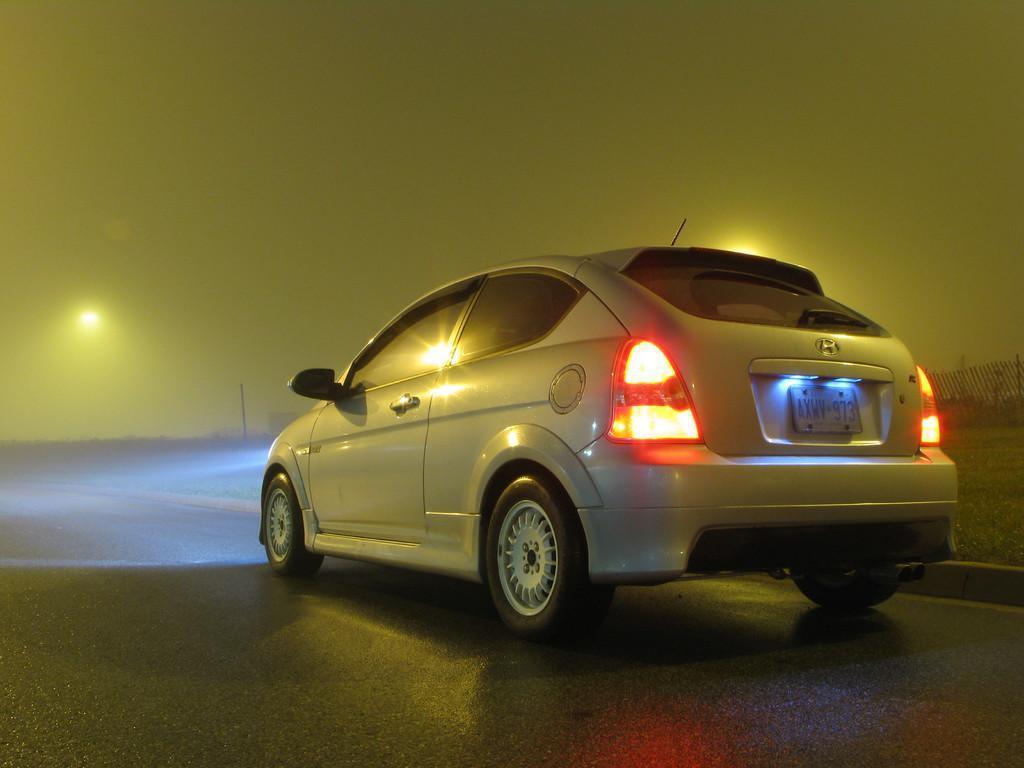
Sample imageParsed result
Structured output
Plate textAXWV973
Confidence0.98
Bounding box[413, 306, 732, 429]
Why this skill
Built for quick plate reads without leaving your flow.
Most LPR tools live in a separate dashboard. Chompute keeps the workflow inside the AI tool you already use, so you can inspect an image and keep moving.
No separate OCR console
Run license plate recognition directly inside Claude Code or Codex instead of jumping to a different tool.
Structured output, not just text
Get plate text, confidence, and bounding box details so the result is useful for downstream workflows too.
Fast to verify with one sample
Install once, try the skill against a known image, and keep the same prompt pattern for future checks.
Prompt-first workflow
One prompt in, plate text out.
The skill feels native inside Claude Code or Codex. Paste the sample URL to test it, then reuse the same prompt pattern on your own images.
/chompute-lpr
Detect the license plate in this image and return the plate text, confidence, and bounding box.
Image URL: https://chompute-skills.s3.us-east-1.amazonaws.com/chompute-lpr-image.jpg
How it works
Three steps. One structured result.
Chompute gives you a guided setup prompt, then keeps the LPR skill available right inside Claude Code or Codex.
01
Install the skill once
Open Chompute, choose Claude Code or Codex, and copy the setup prompt generated for your account.
02
Give it an image
Start your prompt with the skill name and pass a local image or image URL that contains a visible license plate.
03
Read the result immediately
Chompute returns the detected plate text plus confidence and bounding-box information in a structured response.
Use cases
Useful for operations, support, and review loops.
The skill works best when you need a reliable plate read now and want the result in a structured shape you can reuse.
Parking and access control
Quickly confirm plate text from captured images before updating a list, workflow, or internal record.
Logistics and operations
Check incoming vehicle images and pull out plate details without manually transcribing them.
Support and review workflows
Use one repeatable prompt to inspect customer-submitted images and return a consistent structured result.
Pricing
Pay per credit. No subscriptions.
Credits never expire. License plate recognition uses 1 credit per image.
Starter
10,000
credits
$5
1 credit per image
Good for testing skills before committing.
Buy CreditsSecure one-time Stripe checkout
Most Popular
Growth
50,000
credits
$12
1 credit per image
Enough for steady use. Save 52% vs the starter pack.
Buy CreditsSecure one-time Stripe checkout
Best Value
Pro
100,000
credits
$20
1 credit per image
Ideal for production workflows or teams. Save 60% per credit.
Buy CreditsSecure one-time Stripe checkout
Try the license plate recognition skill in Chompute.
Sign in, copy the setup prompt, and start reading license plates inside Claude Code or Codex.
Get started now